

tl;dr
- GTR uses RustDesk for remote support. TeamViewer is no longer in use.
- Download RustDesk (ZIP)
What is RustDesk?
RustDesk is the tool GTR uses to connect to your computer for remote support. Your support engineer can see and control your screen only while you allow it. The connection is encrypted.
How to start a support session
- Download the ZIP file from https://dl.gtr.de/rd.
- Unpack the ZIP to any folder on your computer. No installation is needed on Windows.
- Double-click
rustdesk-gtr.exeto start RustDesk. This version is already set up to connect to the GTR server. - RustDesk will show an ID and a one-time password. Read both to your GTR engineer by phone or send them by email.
- When the engineer connects, RustDesk will ask you for permission. Click Accept to start the session.
- Close RustDesk when the session is finished.
Warning
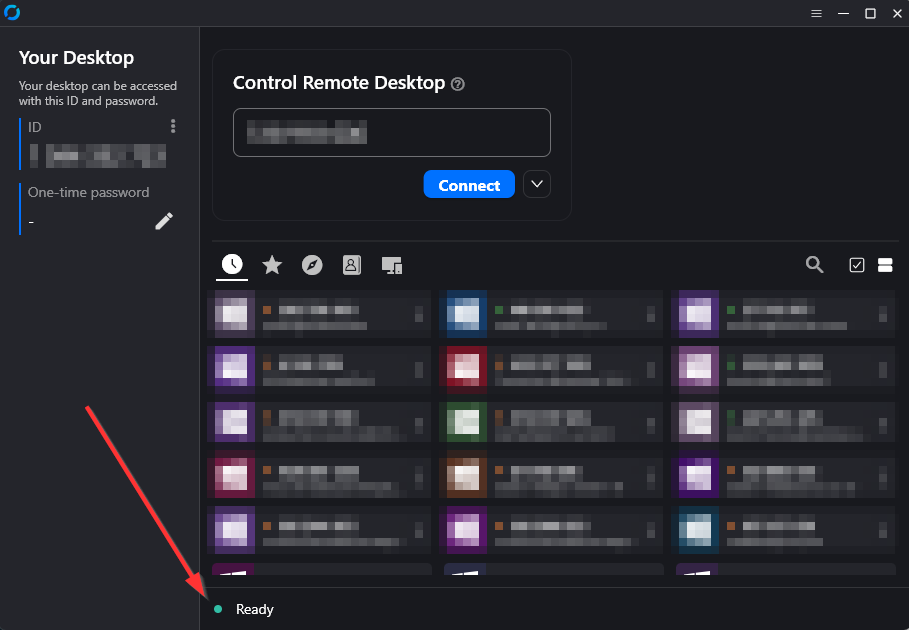
Please check that when running the rustdesk-gtr.exe, the main window of the RustDesk Application looks exactly as shown at the bottom of this page. If the Statusbar does not only show “Ready” then follow the next steps for the manual setup.
If another company also supports you via RustDesk
If a different company also uses RustDesk to support you and uses their own server:
- Run
rustdesk-reset.exeonce. This removes the GTR-specific settings. - When you need GTR support again later, simply run
rustdesk-gtr.exeagain.
Already have RustDesk installed?
If RustDesk is already installed on your computer and you want to keep using that installation, you can point it at the GTR server by importing the configuration once.
Copy this configuration text:
9JSPB12SrhEMlR3byk3TJhVS4RUTHZlTktkRDJHMvVHZZlEZSN3Y6dmV6VFMQJiOikXZrJCLiIiOikGchJCLiIiOikXYsVmciwiIlRmLyR3Zus2clRGdzVnciojI0N3boJye
Then:
- Open RustDesk
- Go to Settings
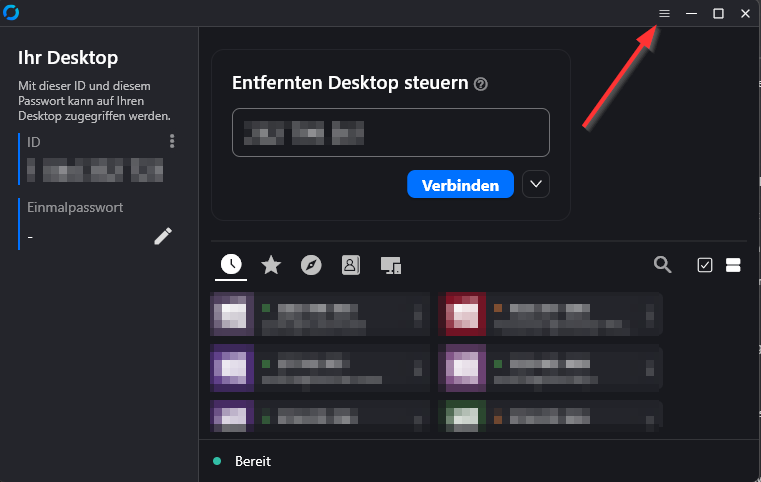
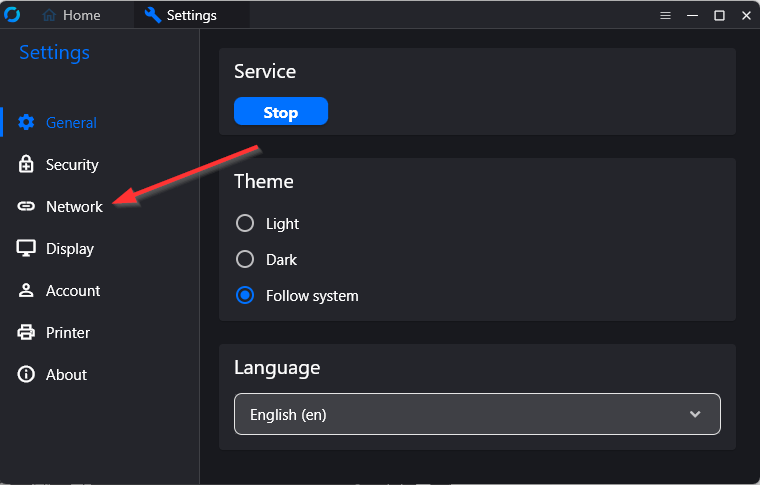
- Go to Network
- Click Unblock Network Settings.
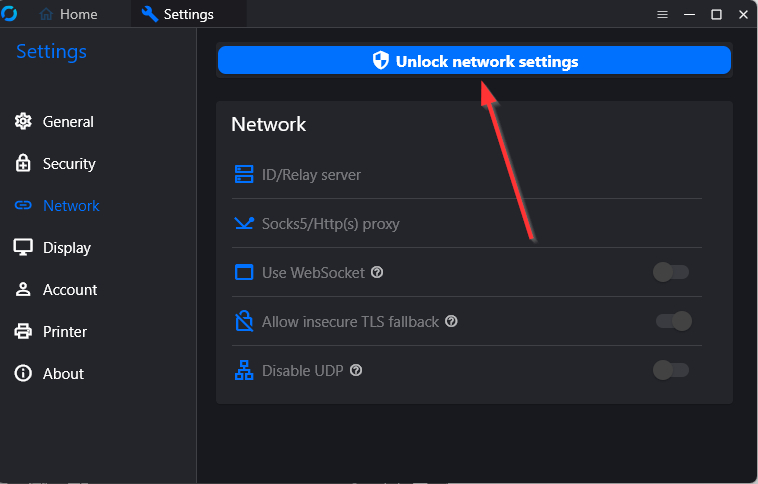
Note: This step may require administrator rights. If you do not have them, please ask your IT administrator for help.
- Open the ID/Relay-Server section.
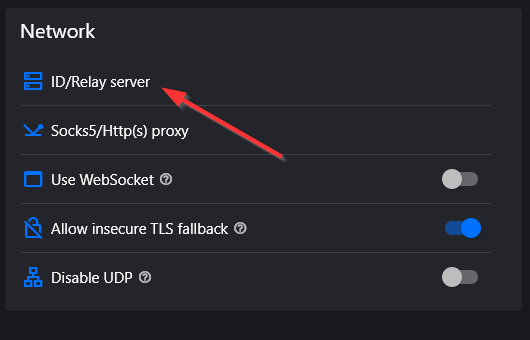
- Click the Import from clipboard icon at the top right of the dialog.
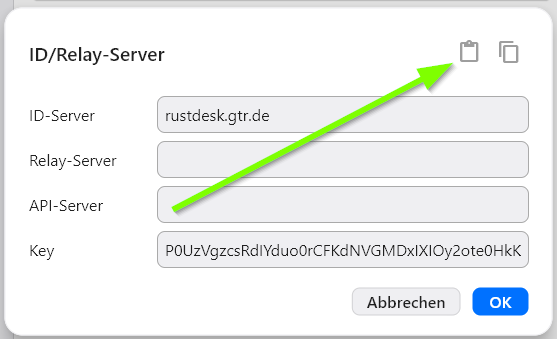
After the import, the ID-Server field should show rustdesk.gtr.de and the Key field should be filled in. Click OK to save.
After the successful configuration, the RustDesk software should show Ready in the status bar without additional information.
If the import using the configuration string does not work you can also copy the ID server name and the public key and paste it directly:
rustdesk.gtr.deP0UzVgzcsRdIYduo0rCFKdNVGMDxIXIOy2ote0HkKmA=Privacy and security
- GTR runs its own RustDesk server in Germany. No US cloud provider is involved.
- When the network allows it, the connection is established directly between your computer and the GTR engineer’s computer.
- All session traffic is encrypted end-to-end. Neither GTR nor anyone else can read it in transit.
- The engineer only sees your screen while a session is active, and you can end it at any time.
Need help?
- Email: gtr-aa@gtr.de
- Support Portal: https://tickets.gtr.de
- Phone: +49 7361 94 11 0